

Event digital signage from the registration desk to the last session
Agendas, room boards, wayfinding and sponsor screens that change as fast as the running order does — designed in minutes, not sent to a printer.
What is event digital signage?
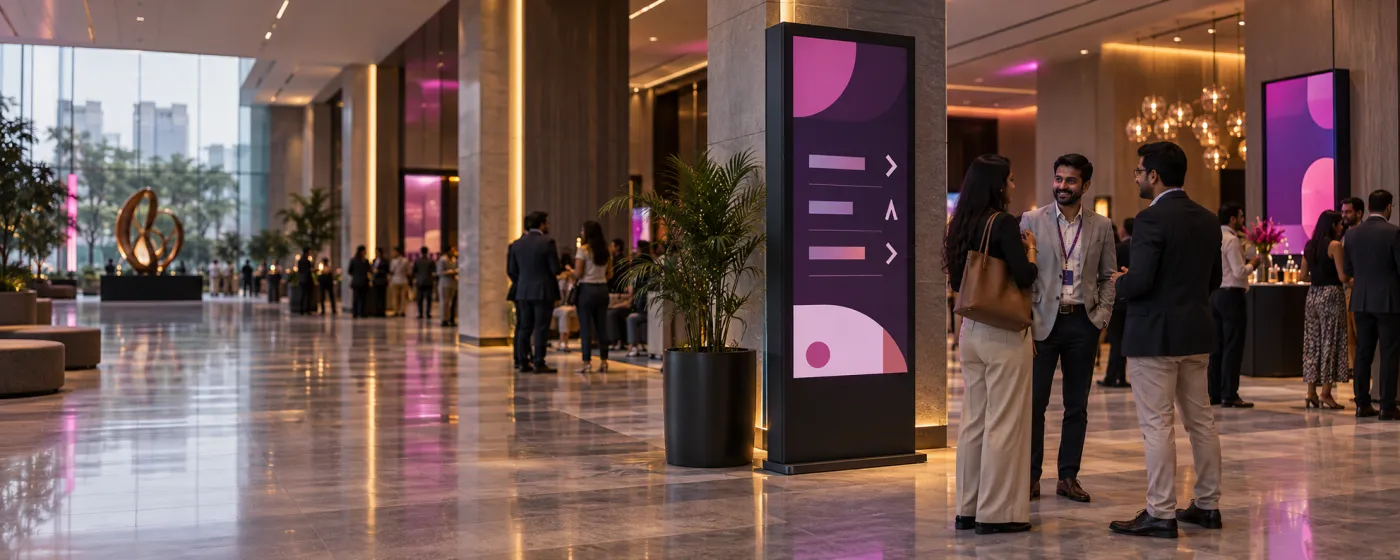
Event digital signage is the temporary screen network that runs a conference, exhibition, convention or large social event: the agenda board at registration, the screen outside each session room, wayfinding through the concourse, sponsor and advertising displays, and the stage-adjacent screens carrying the running order.
Events are the purest case for digital over print, because an event schedule is guaranteed to change. A speaker misses a flight, a session swaps rooms, a keynote runs twenty minutes over — and every printed sign in the building is now actively misleading delegates. The value is not that the screens look better, it is that they can still be right at four in the afternoon.
DigiSign suits event work because setup is a pairing code and teardown is unpairing. Screens can be brought online the morning of the event on hired displays and Android sticks, and the AI Studio composes on-brand session and sponsor layouts from a prompt, which matters when the running order changes an hour before doors.
Every screen at the venue
Set up in a morning, changed in seconds, unpaired at teardown.
Registration & entry
Welcome boards, badge-collection instructions, the day’s headline agenda and a QR code to the event app, right where the queue forms.
Session rooms & stages
A screen outside each room showing the current session, the speaker and the next slot, plus holding slides and countdown timers inside.
Exhibition halls
Hall plans, exhibitor directories, stand numbers and demo schedules, updated when a stand moves or a demo slot changes.
Concourse & wayfinding
Directions to halls, catering, cloakrooms and accessible routes, changed centrally the moment a route is closed or a room is swapped.
Sponsor & advertising screens
Sponsor reels scheduled between programme content, targeted by hall, with on-demand screenshots as proof of play for the sponsor report.
Weddings & social events
Welcome boards, seating plans, running order and photo walls for banquets and celebrations, designed on the day rather than printed a week before.
What event teams put on the screens
Six jobs where being wrong for an hour is the actual cost.
Live agendas and session boards
Drive the programme from a Google Sheet with the Data Plugin or from an ICS feed with the Calendar app, so a change entered once reaches every board in the venue.
Wayfinding that survives a room change
Move a session and update the direction screens in the same minute. A printed arrow pointing at the wrong hall is worse than no arrow at all.
Sponsor visibility with proof
Schedule sponsor content between programme slots, target it by hall, and take on-demand screenshots from the player as evidence of playout for the post-event report.
Last-minute changes and alerts
Quick Post overrides every screen — or just one hall — with a delay, a room swap or a safety announcement, in a single tap from a phone on the floor.
Live streams and overflow rooms
The Live Stream app handles RTMP and HLS, and the YouTube app takes any link including live streams, so an overflow room or a foyer screen can carry the main stage.
Design on the day
The AI Studio composes an on-brand speaker card, sponsor slide or notice from a prompt in seconds — the difference between fixing a board and living with it.
Right at four in the afternoon
Every board reflects the running order as it actually is, not as it was when the signage was printed the week before.
Set up with a pairing code
Hired displays plus Android sticks come online the morning of the event and unpair at teardown. Per-screen monthly pricing suits a temporary estate.
Proof for the sponsor report
On-demand screenshots and per-player uptime give you evidence of what ran and where, without anyone photographing screens on their phone.
Popular apps for events & venues
Drop these onto any screen — no setup required.
- Data Plugin — agenda from a Sheet
- Calendar — session schedules
- AI Studio — speaker & sponsor cards
- Quick Post — schedule changes
- Live Stream — RTMP & HLS
- YouTube — video & live
- QR Code — event app & feedback
- PDF — floor plans
- Canva — sponsor artwork
- Ticker & marquee text
Event digital signage questions, answered
Agenda and session boards, room-door screens, wayfinding, exhibitor and hall directories, sponsor and advertising reels, live streams into overflow rooms, and instant announcements when the running order changes. For social events it covers welcome boards, seating plans and running order.
Content streams to connected players; delivery depends on network conditions and content readiness, and Quick Post can override every screen with an announcement from a phone on the venue floor.
Yes, and it is the usual approach. The Data Plugin renders a Google Sheet or CSV as an animated, paginated board and follows the sheet as it changes, so the programme file the team is already editing drives the screens. The Calendar app does the same for an ICS feed.
Software is priced per screen per month with a 7-day trial. Budget separately for compatible players, hired displays, installation and venue connectivity. Confirm the billing period, required apps and teardown arrangements before committing to an event rollout. Read the India digital signage cost guide.
Take on-demand screenshots from any player and pair them with that screen’s online history and uptime. These are operational records, not proof of continuous playback or audience exposure. Agree the evidence your sponsor requires before the event.
Yes. Group screens by hall, floor or zone and target playlists at one group or several, so each hall shows its own programme while a venue-wide announcement can still reach everything at once.
Downloaded media can continue from the player cache, subject to player support and licence terms. Live streams, webpages and current-data apps may need a connection. Rehearse your content with the venue network, test recovery and prepare an offline fallback.
Keep reading
-
Hotel & venue signage
Banquet directories, function-room boards and F&B menus for the venue itself.
-
The AI Studio
Compose a speaker card, sponsor slide or notice from a prompt in seconds.
-
The live app catalogue
Data Plugin, calendars, live streams, QR codes and everything else built in.
-
Per-screen pricing
What Ignite, Command and Infinite cost, and which apps land in which plan.
Before a rollout, use the screen setup and player compatibility guide to test your device, embedded pages, network recovery and scheduling. Source sites must allow embedding; live content needs its source connection. Use signage alongside your established emergency communication channels.
Your screens are waiting. Light them up.
Put live content on the screens you already own. Start free today — no credit card, no commitment.
- 7-day free trial
- No credit card
- Cancel anytime