

Transportation digital signage that keeps passengers moving
Live departure boards, wayfinding and real-time passenger information across airports, railway stations, metro networks and bus terminals — on screens you already own.
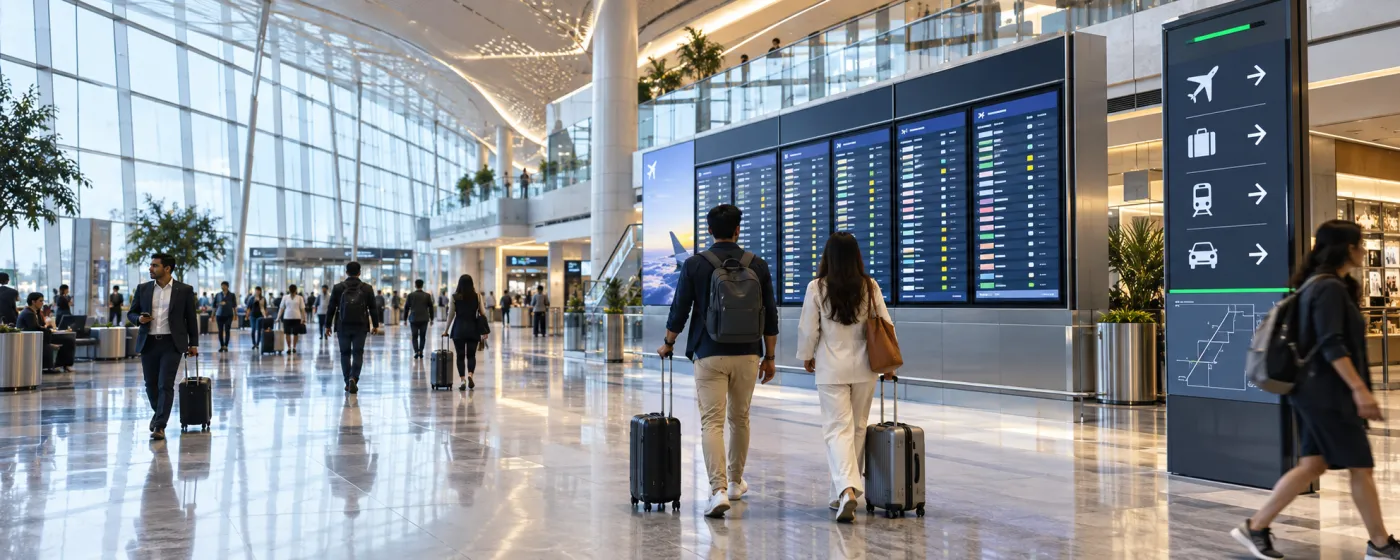
What is transportation digital signage?
Transportation digital signage is a network of internet-connected displays that show passengers live, automatically updating information — departures and arrivals, platform and gate changes, delays, wayfinding and safety alerts — across a transport hub or a vehicle fleet. Instead of reprinting a poster or editing a board by hand, an operator publishes once from a browser and every screen updates in seconds.
A transport hub is one of the hardest places a screen can run. Boards run twenty hours a day, the data behind them changes minute to minute, network links drop, and a blank display in a concourse costs the operator in help-desk queries long before it costs anything else. Transport hub digital signage has to be judged on what it does on a bad day, not a good one.
DigiSign runs that job on hardware you already own. Pair an Android TV box, a Windows PC or a supported browser, drive the boards from a live flight feed, a Google Sheet or your own control-room web page, and keep proof that every screen played what it was meant to.
Where transport hub digital signage runs
One dashboard covers the whole estate — every terminal, platform, bay and vehicle.
Airports & terminals
Arrivals and departures from a live FIDS feed, gate and baggage-belt calls, transfer directions, and concourse advertising scheduled between information slots.
Railway stations
Platform indicators, coach-position boards and train-running information — driven from a Google Sheet, a CSV export, or the web page your control room already publishes.
Metro & rapid transit
Next-train countdowns, line-status strips and interchange directions on concourse and platform screens, across every station on the line.
Bus terminals & depots
Bay allocations, service departures and route diversions on the passenger side; rosters, safety briefings and shift notices on the crew side.
Ports & ferry terminals
Sailing schedules, boarding calls and live weather for waiting halls, check-in desks and vehicle marshalling lanes.
On-board & fleet screens
Displays inside buses, coaches and trains showing the next stop, journey progress, onboard rules and advertising — resyncing whenever the vehicle has connectivity.
What operators actually put on the screens
Six jobs that pay for a transportation digital signage rollout on their own.
Real-time passenger information
Publish departure, arrival and gate information to connected boards. Check feed coverage, refresh intervals and fallback behaviour before using it for passenger information.
Wayfinding & directional signage
Terminal maps, exits, transfers, taxi ranks and facilities. When a gate closes or a route diverts you change one screen group and the whole path updates — there is no printed sign to chase down.
Safety & emergency messaging
Quick Post pushes an evacuation instruction, a service suspension or a weather warning over whatever is currently playing — on one platform, one terminal, or the entire network, in a single tap.
Multilingual & accessible boards
Run Hindi and English together, rotate regional languages, and set type large and high-contrast enough to read from across a concourse. The AI Studio takes prompts in Hindi as well as English.
QR ticketing & self-service
Put a QR code on the board for mobile ticketing, the full timetable, live status or a helpline, and let a passenger's phone finish the job the screen started.
Concourse advertising revenue
Day-part advertising between information slots, target it by station or terminal, and prove playout to the advertiser with an on-demand screenshot taken from the player itself.
Departure boards that drive themselves
Run arrivals and departures from the built-in Flight Info (FIDS) app, a Google Sheet, a CSV, or any web page you already publish — the board refreshes without anyone touching it.
Built for the bad day
Players cache what they were given. If the link drops the screen keeps showing the last known board instead of going black, then catches up the moment it reconnects.
Proof that it played
Live status and uptime for every player, an alert when one stops reporting in, and on-demand screenshots you can hand to an advertiser or an auditor.
Popular apps for transport
Drop these onto any screen — no setup required.
- Flight Info (FIDS)
- Data Plugin — Sheets & CSV boards
- Webpage URLs — control-room data
- Live Travel Time
- Weather & Air Quality Index
- World Clock
- News — 10 live feeds
- Ticker & marquee text
- QR Code
- Quick Post — instant alerts
Transportation digital signage questions, answered
It is digital signage built for the places passengers pass through — airport terminals, railway stations, metro interchanges, bus depots and ferry ports. The screens carry live departure and arrival information, wayfinding, safety announcements and advertising, and they are managed centrally, so one operator can update every board in a hub, or across a whole network, from a browser.
Yes. The Flight Info (FIDS) app renders a live arrivals and departures board — flight, airline, gate, terminal and status such as Boarding, Delayed or Landed — and refreshes itself. For rail, metro and bus, the Data Plugin turns a Google Sheet or CSV into an animated, paginated board, and the Webpage URL app embeds and auto-refreshes a compatible HTTPS page your control room already publishes. Flight Info and Live Travel Time are part of the Command plan.
Cached media may continue, depending on the player, storage and licence terms. Live departure and travel data can stop updating without its source connection. Plan a clear fallback for stale information and verify network recovery before a transport rollout.
Whatever you already have. The DigiSign player runs on Android TV boxes and sticks, Windows PCs, and supported browsers, so an existing estate of displays comes online with a pairing code instead of being replaced. There is no proprietary media player to buy.
Yes. Group screens by station, terminal, concourse or platform, tag them, and target a playlist at one group, several, or the entire network. Day-part scheduling changes what each group shows by time of day, and screens can power themselves off outside service hours.
Schedule advertising between information slots with the same playlist and day-parting tools, targeted by location so a terminal or a single concourse can be sold on its own. For proof of play, take an on-demand screenshot from any player and pair it with that screen's uptime and online history.
Yes. Screens can rotate between languages or show two side by side in the same layout, and the AI Studio accepts prompts in Hindi as well as English — which matters on Indian networks where a single concourse serves several language groups.
DigiSign is priced per screen per month. Ignite starts at ₹249 per screen (introductory, then ₹349) and includes the canvas, scheduling, real-time broadcast, monitoring and the AI Studio. Command at ₹699 per screen (then ₹999) adds the live-data apps most transport deployments need — Flight Info (FIDS), Live Travel Time, weather and AQI — plus audit logs, an SLA and a dedicated success manager. Every plan starts with a 7-day free trial and no card. Read the India digital signage cost guide.
Keep reading
-
Every digital signage feature
Screen management, playlists, day-parting, real-time broadcast and live monitoring.
-
The live app catalogue
Flight Info, Data Plugin, weather, news, tickers and the rest of the built-in apps.
-
Per-screen pricing
What Ignite, Command and Infinite cost per screen, and which apps land in which plan.
-
Retail signage for concourse stores
The same platform running the shops and food courts inside the terminal.
Before a rollout, use the screen setup and player compatibility guide to test your device, embedded pages, network recovery and scheduling. Source sites must allow embedding; live content needs its source connection. Use signage alongside your established emergency communication channels.
Your screens are waiting. Light them up.
Put live content on the screens you already own. Start free today — no credit card, no commitment.
- 7-day free trial
- No credit card
- Cancel anytime