

Campus digital signage that replaces the notice board
Timetables, exam schedules, results, event notices and emergency alerts on screens across every block — updated from one login, in every language your campus speaks.
What is digital signage for schools and colleges?
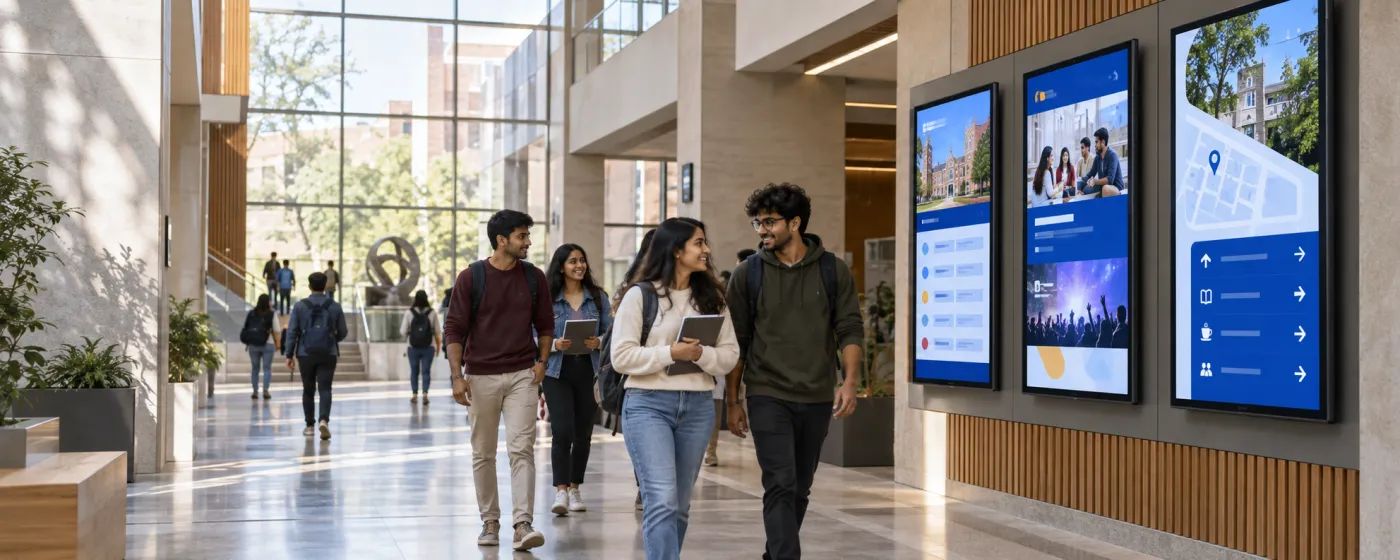
Education digital signage is a network of screens across a campus — corridors, reception, libraries, staff rooms, canteens, hostel blocks — carrying the information that currently lives on a cork notice board: timetables, exam schedules, room changes, results, event notices, fee deadlines and emergency instructions. One administrator updates all of it from a browser.
A paper notice board fails in a specific way. The important notice gets covered by a newer one, a room change posted at nine in the morning reaches nobody who walked past at eight, and nothing that happens on a notice board can reach the block on the other side of campus. Screens fix the distribution problem, and because the content changes centrally, the cost of posting an update drops to almost nothing — which is what actually makes a campus post more.
DigiSign runs on Android TV sticks, Windows PCs, or a supported browser, so a school can start with the TVs it already owns in reception and the library. Timetables and exam schedules usually already live in a spreadsheet, and the Data Plugin puts that spreadsheet straight on the wall.
Every block on campus
One account, screen groups per building, department or hostel.
Reception & main corridors
Today’s schedule, visitor guidance, achievements and announcements — the notice board everyone genuinely walks past.
Libraries & study areas
Opening hours, new arrivals, quiet-zone rules, seat availability and reading-week schedules, kept calm and low-contrast.
Departments & labs
Department-specific timetables, lab rotas, safety procedures, project deadlines and faculty availability on a screen per block.
Staff rooms & administration
Substitution lists, meeting schedules, circulars and internal deadlines — reaching teaching staff who are rarely at a desk.
Canteens & common rooms
The day’s menu, club notices, sports results and student media, in the one place students actually stop moving.
Auditoriums & event spaces
Session schedules, speaker information, seating guidance and live streams for convocations, seminars and annual days.
What campuses put on the screens
Six jobs a corridor notice board does badly or not at all.
Timetables and room changes
The Data Plugin renders your timetable spreadsheet as a paginated, auto-cycling board and follows the sheet when it changes, so a room change reaches every screen the moment it is entered.
Exam schedules and results
Exam date sheets, seating arrangements, hall allocations and results notices — published centrally instead of printed, taped up, and immediately queued at.
Emergency and safety alerts
Quick Post pushes a lockdown, evacuation or weather closure over whatever is playing, on one block or the entire campus, in a single tap.
Achievements and student work
Results, sports wins, competition entries and project showcases. A campus channel that celebrates students is a campus channel students watch.
Air quality and weather advisories
Real-time AQI with PM2.5, PM10 and colour-coded health bands is directly actionable for outdoor-activity decisions on Indian campuses. AQI and Weather are Command-plan apps.
Multilingual notices
Rotate between English, Hindi and a regional language on the same screen, and prompt the AI Studio in Hindi to design a notice without waiting on the design department.
A notice that actually reaches the block
Publish once and it is on every screen across campus over a live connection, including the buildings nobody walks past the office to reach.
Timetables straight from the spreadsheet
The board reads the sheet the timetable already lives in, so there is no second copy to keep in step and no re-typing at the start of term.
Cheap enough to start with two screens
Per-screen pricing on hardware you already own means reception and the library can go live this week, and the rest of campus can follow when it proves itself.
Popular apps for education
Drop these onto any screen — no setup required.
- Data Plugin — timetables & results
- Calendar — academic calendar
- Quick Post — urgent notices
- AI Studio — notice design
- Air Quality Index (Command)
- Weather (Command)
- News — 10 live feeds
- YouTube & Live Stream
- PDF — circulars
- QR Code — forms & links
Education digital signage questions, answered
Timetables and room changes, exam schedules and results, event and club notices, fee and admission deadlines, campus wayfinding, achievements, canteen menus and emergency alerts. It replaces the corridor notice board with something every block can see and one person can update.
Yes, and this is the most common way campuses run it. The Data Plugin renders a Google Sheet or CSV as an animated, paginated table with your own columns and colours, cycling through pages automatically and refreshing when the sheet changes. It is included on the Ignite plan.
Quick Post publishes over whatever is currently playing, targeted at one building or every screen on campus, and sends it to connected players. Clear it and normal content resumes.
Yes. Group screens by block, department or hostel and use role-based access with custom per-feature roles so a department can publish to its own group without touching the main campus channel. Publish actions are recorded in audit logs on the Command plan.
Any TV or monitor you already have, plus an Android TV stick, a Windows PC or a compatible browser player. Pair the player using the code it displays. Screens can also switch themselves off outside school hours on a schedule, which keeps the electricity bill honest.
Yes. Screens can rotate through languages or show two in the same layout, the built-in news feeds include Tamil and Kannada sources, and the AI Studio accepts prompts in Hindi as well as English so a bilingual notice does not need a designer.
Per screen, per month. Ignite is ₹249 per screen (introductory, then ₹349) and covers the canvas, Data Plugin, calendars, scheduling, real-time broadcast, monitoring and the AI Studio — which is everything a typical campus deployment needs. Command at ₹699 per screen (then ₹999) adds Weather, AQI and the other premium live-data apps plus audit logs and an SLA. Every plan starts with a 7-day free trial. Read the India digital signage cost guide.
Keep reading
-
Corporate & internal comms signage
The same approach for administrative offices and staff communication.
-
The live app catalogue
Data Plugin, calendars, news, AQI and everything else built in.
-
The AI Studio
Design a notice or event poster from a prompt, in English or Hindi.
-
Per-screen pricing
What Ignite, Command and Infinite cost, and which apps land in which plan.
Before a rollout, use the screen setup and player compatibility guide to test your device, embedded pages, network recovery and scheduling. Source sites must allow embedding; live content needs its source connection. Use signage alongside your established emergency communication channels.
Your screens are waiting. Light them up.
Put live content on the screens you already own. Start free today — no credit card, no commitment.
- 7-day free trial
- No credit card
- Cancel anytime