

Retail digital signage that turns browsers into buyers
Push a promotion to one store or a thousand storefronts in seconds, keep pricing identical everywhere, and make the window work as hard as the shelf.
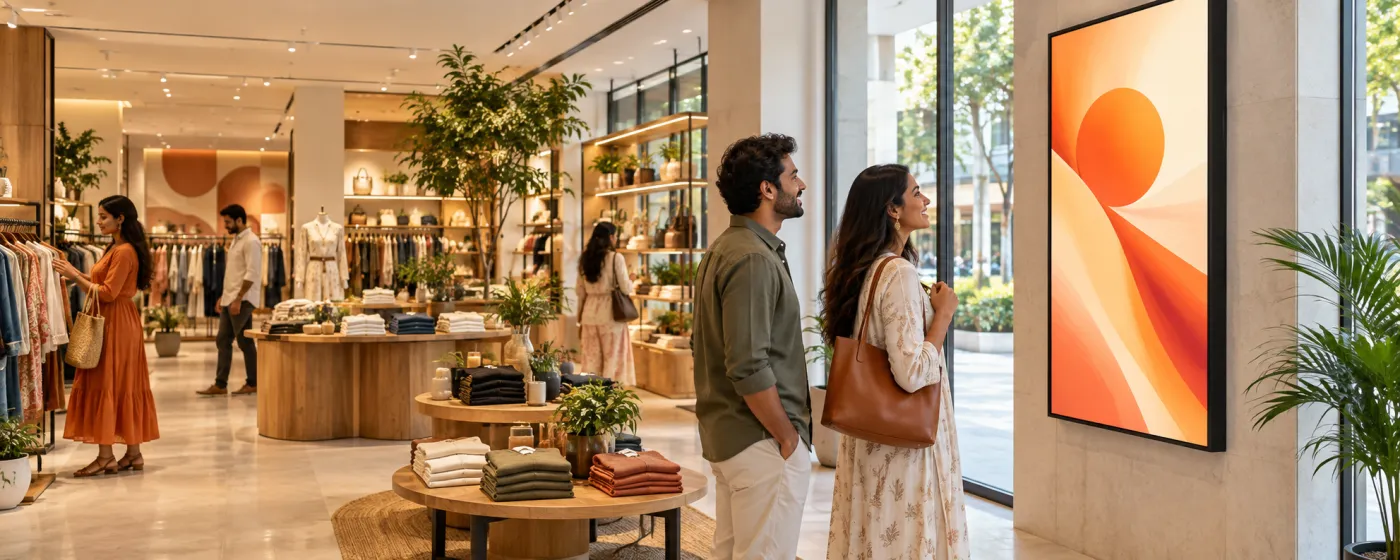
What is retail digital signage?
Retail digital signage is a network of screens in and around a store — windows, shelf edges, till points, showroom walls — that a retailer updates centrally instead of printing and shipping posters. One person publishes a campaign from a browser and it reaches every storefront in the estate at once, in the right language, at the right time of day.
The hard part of retail is not the screen, it is the estate. A promotion that goes live on Friday in one store and Monday in another is a pricing complaint waiting to happen, and a poster that is still up a week after the offer ended costs more in trust than it ever earned in sales. The value of retail digital signage is consistency at speed — every store correct, at the same minute, without a field visit.
DigiSign runs on the displays you already have. Pair an Android TV stick, a Windows PC or a supported browser with a pairing code, group your screens by region, store format or window position, and target a playlist at exactly the group you mean.
Where retail digital signage earns its place
Different screens, different jobs — all of them managed from the same dashboard.
Windows & storefronts
Bright portrait promos that stop footfall, switching by time of day so the morning message is not still running at closing time.
Shelf edge & aisle ends
Category offers, bundles and comparison content at the point of decision, where the customer is already holding the product.
Till points & queues
Add-on offers, loyalty sign-ups and QR codes while people wait — the one moment in the store where you have their full attention.
Showrooms & flagships
Full-bleed video walls, product films and brand content on large-format screens, driven from the same playlists as the rest of the estate.
Mall common areas
Directories, tenant promotions and event boards for the operator, with advertising slots sold to the stores inside.
Pickup counters & dark stores
Order-ready boards, collection instructions and pickup-window information, driven from a Google Sheet or your own order page.
What retail teams put on the screens
Six jobs that make the difference between a screen and a signage system.
Promotions that launch themselves
Schedule a campaign to start at opening on the day it goes live and end itself when it expires. No one has to remember to take it down, and no store is running last month’s price.
One price, every store
Change a price once and it reaches every screen over a live connection. Where pricing already lives in a spreadsheet, the Data Plugin renders that sheet directly. Check refresh behaviour against the source during your trial.
Festive and seasonal campaigns
Describe the campaign to the AI Studio — "Diwali sale, 30% off, Hindi and English" — and it composes a gallery of on-brand layouts in seconds. Pick one, refine it in a chat, publish to the estate.
Queue-time upsell
Turn dwell time at the till into attach rate with add-on offers, loyalty QR codes and short product films sized for a glance rather than a read.
Ambient content that stays fresh
Live weather, headlines from ten news feeds and local air quality keep a window looking current on the days you have no campaign running. Weather and AQI are Command-plan apps.
Back-of-house comms
A screen in the stockroom carrying targets, rosters, safety notices and recognition reaches staff who never open a company email.
A campaign live in minutes
Design it, target the store group, publish. What used to be a print run, a courier and a fortnight of waiting is now an afternoon.
Nothing out of date, anywhere
Scheduled start and end times mean an expired offer removes itself from every screen at once — the failure mode that costs retailers the most trust.
No designer in the loop
The AI Studio composes on-brand layouts from a prompt in English or Hindi, and saves the ones you like as reusable templates for the next campaign.
Popular apps for retail
Drop these onto any screen — no setup required.
- Quick Post — flash sales
- AI Studio — campaign design
- QR Code
- Data Plugin — price sheets
- Digital Menu Board — in-store cafés
- Weather (Command)
- News — 10 live feeds
- YouTube & video
- Canva & PDF
- Ticker & marquee text
Retail digital signage questions, answered
Mainly four things: promoting offers at the point of decision, keeping pricing identical across every store, replacing printed window and shelf posters, and giving head office a way to change what a whole estate is saying without visiting a single site. Retailers with a café or counter service also use the same screens as menu boards.
Delivery depends on connectivity and the content being loaded. DigiSign streams changes to players over a live connection rather than polling on a schedule, so updates can reach connected store players without an overnight sync. You can also schedule a change in advance so it goes live at opening time on a set date.
Yes. Group screens by region, city, store format, or by position in the store — window, aisle, till — tag them, and target a playlist at one group, several, or the whole estate. Day-part scheduling then changes what each group shows by time of day.
No. The DigiSign player runs on Android TV boxes and sticks, Windows PCs, and supported browsers, so commercial displays you already own come online with a pairing code. There is no proprietary hardware to buy and no lock-in if you leave.
Yes. The Data Plugin renders a Google Sheet or CSV as an animated, paginated table with your columns, colours and transitions, and refreshes when the sheet changes. It is the simplest way to keep a price board and your system of record in step, and it is included on the Ignite plan.
Downloaded media can continue from the player cache, subject to player support, storage and licence terms. Live webpages and data feeds may still need connectivity. Test your store content offline and after a restart, then confirm updates resume when reconnected.
DigiSign is priced per screen per month. Ignite starts at ₹249 per screen (introductory, then ₹349) and covers the canvas, scheduling, real-time broadcast, monitoring and the full AI Studio. Command at ₹699 per screen (then ₹999) adds the premium live-data apps and enterprise controls. Every plan starts with a 7-day free trial and needs no card. Read the India digital signage cost guide.
Keep reading
-
Digital menu boards for in-store cafés
Day-parting, price sync and sold-out handling for the counter inside your store.
-
Every digital signage feature
Screen groups, playlists, day-parting, real-time broadcast and live monitoring.
-
The AI Studio
Design a festive or seasonal campaign from a prompt, in English or Hindi.
-
Per-screen pricing
What Ignite, Command and Infinite cost, and which apps land in which plan.
Before a rollout, use the screen setup and player compatibility guide to test your device, embedded pages, network recovery and scheduling. Source sites must allow embedding; live content needs its source connection. Use signage alongside your established emergency communication channels.
Your screens are waiting. Light them up.
Put live content on the screens you already own. Start free today — no credit card, no commitment.
- 7-day free trial
- No credit card
- Cancel anytime