

Healthcare digital signage for calmer waiting rooms
Live queue calls, clear wayfinding and health education on screens that keep patients informed — and keep the front desk from answering the same question all day.
What is healthcare digital signage?
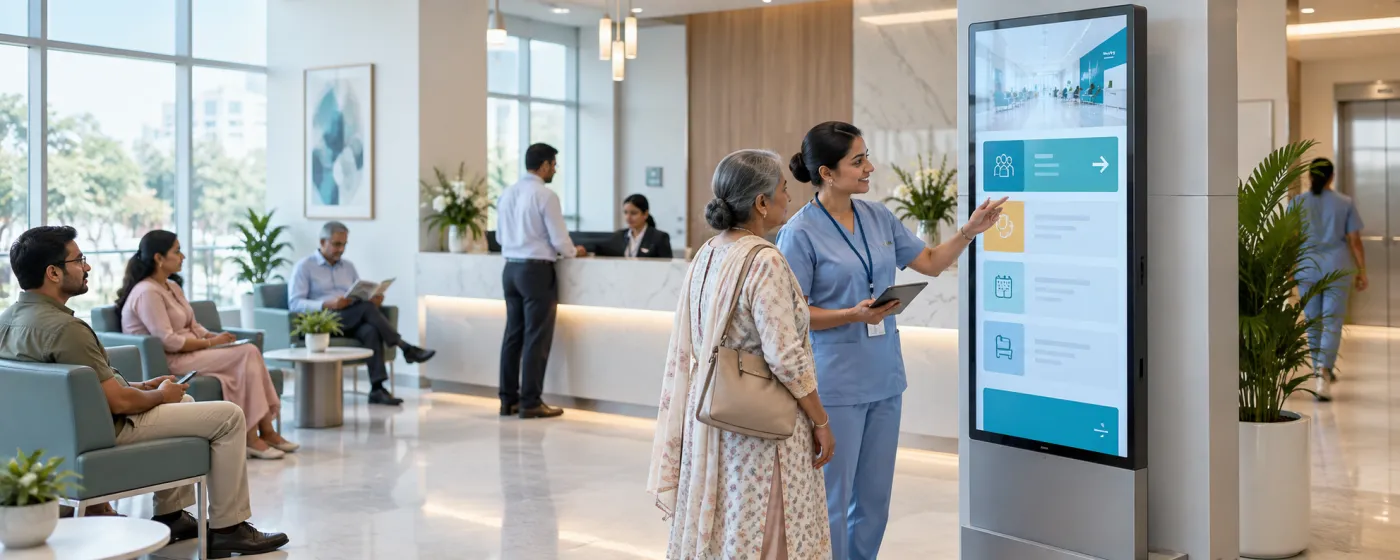
Healthcare digital signage is the network of screens across a hospital, clinic or diagnostic centre that tells patients and visitors what is happening: which token is being seen, which room to go to, how long the wait is likely to be, and what to do while they wait. The same platform usually runs staff-facing boards in wards, labs and break rooms.
Waiting is the part of healthcare patients remember, and most of the frustration is not the wait itself but not knowing. A visible queue position turns an indefinite wait into a finite one, and it removes the single biggest source of interruption at a busy reception desk — people asking how much longer. Wayfinding does the same job for a building that is almost always harder to navigate than its signage admits.
DigiSign drives those boards from whatever you already have: a queue system that publishes a web page, a Google Sheet the front desk keeps, or content built on the canvas. It runs on Android TV, Windows, or a supported browser, and role-based access keeps clinical and marketing content in separate hands.
From the entrance to the ward
Different audiences on the same platform, kept properly apart.
Reception & main entrance
Department directories, visiting hours, today’s consultant list and directions to the right block — answered before anyone joins the queue.
OPD & waiting areas
Live token and room calls, estimated waits, and calm rotating content that makes the time pass without a news channel on in the corner.
Clinics & dental practices
A single screen doing everything for a smaller practice: now-serving, treatment information, payment options and a QR code for feedback.
Diagnostic labs & imaging
Sample-collection instructions, fasting requirements, report-ready calls and turnaround times posted where people are waiting for them.
Pharmacy counters
Prescription-ready numbers, stock notices, generic-substitute information and health-scheme details at the point of collection.
Corridors & wayfinding
Floor-by-floor direction screens that change the moment a department moves, a lift goes out of service or a route is closed for works.
What healthcare teams put on the screens
Six jobs measured in reduced front-desk interruptions.
Live queue and token displays
Drive now-serving boards from your queue system’s web page with the Webpage URL app, or from a Google Sheet with the Data Plugin when there is no system to integrate with.
Wayfinding that stays correct
Change a direction screen centrally when a department relocates. A printed corridor sign is wrong from the day it stops matching the building.
Health education while they wait
Seasonal guidance, preventive-care information, post-procedure instructions and department explainers, rotated in whichever languages your community speaks.
Air quality and seasonal alerts
The Air Quality Index app shows real-time AQI with PM2.5 and PM10 and colour-coded health bands — directly relevant advice in Indian cities. AQI is a Command-plan app.
Code alerts and safety notices
Push an emergency instruction, an infection-control notice or a service disruption over everything currently playing, targeted to one department or the whole site.
Staff and ward boards
Shift rosters, training reminders, hand-hygiene audits and departmental targets on back-of-house screens, kept separate from patient-facing content by role.
A quieter reception desk
When the queue position and the directions are on the wall, the front desk stops fielding the same two questions and gets on with admissions.
Reassurance, not just information
A visible position in the queue changes how long a wait feels. That is the cheapest patient-experience improvement most sites can make.
Content control by role
Custom per-feature roles and audit logs mean clinical, marketing and facilities content can live on one platform without anyone editing the others.
Popular apps for healthcare
Drop these onto any screen — no setup required.
- Webpage URLs — queue systems
- Data Plugin — token boards
- Air Quality Index (Command)
- Weather (Command)
- Calendar — clinic schedules
- PDF — patient education
- QR Code — feedback & forms
- Quick Post — code alerts
- Text & announcements
- Ticker & marquee text
Healthcare digital signage questions, answered
Queue and token displays, wayfinding, health education in waiting areas, department directories, emergency and infection-control notices, and staff-facing boards in wards and labs. The recurring benefit is fewer interruptions at reception, because the information people would have asked for is already visible.
If the system publishes a web view, yes — the Webpage URL app embeds a compatible HTTPS page and auto-refreshes it, which is how most now-serving boards are driven. Where there is no system to connect to, the Data Plugin turns a Google Sheet or CSV that the front desk maintains into a live, animated board.
Yes. Screens can rotate through languages or show two together in one layout, and the AI Studio accepts prompts in Hindi as well as English. The built-in news feeds include regional-language sources, which matters where a single waiting room serves several language groups.
Nothing in DigiSign requires it. Signage displays what you choose to publish — token numbers, room calls, directions and educational content. If you drive a board from a queue system, keep the view you publish limited to what is appropriate for a public screen, exactly as you would with any waiting-room display.
Quick Post publishes over whatever is currently playing, targeted at a department, a building or every site, and reaches the screens over a live connection. Normal programming resumes when you clear it.
Yes. Role-based access with custom per-feature roles lets facilities run wayfinding, marketing run the education loop and a ward team run its own board, without any of them able to edit the others. Publish actions are recorded in audit logs on the Command plan.
Per screen, per month. Ignite is ₹249 per screen (introductory, then ₹349) and covers the canvas, scheduling, real-time broadcast, monitoring, calendars, PDF and the AI Studio. Command at ₹699 per screen (then ₹999) adds the premium live-data apps including Air Quality Index and Weather, plus audit logs, an SLA and onboarding. Every plan starts with a 7-day free trial. Read the India digital signage cost guide.
Keep reading
-
Every digital signage feature
Screen groups, scheduling, real-time broadcast, monitoring and role-based access.
-
Security & access control
How roles, SSO, audit logs and per-screen licensing work.
-
Corporate & internal comms signage
Staff-facing boards, dashboards and emergency alerts across a site.
-
Per-screen pricing
What Ignite, Command and Infinite cost, and which apps land in which plan.
Before a rollout, use the screen setup and player compatibility guide to test your device, embedded pages, network recovery and scheduling. Source sites must allow embedding; live content needs its source connection. Use signage alongside your established emergency communication channels.
Your screens are waiting. Light them up.
Put live content on the screens you already own. Start free today — no credit card, no commitment.
- 7-day free trial
- No credit card
- Cancel anytime