

The AI that designs your signage
Stop hiring designers and fighting clunky editors. Describe what you want — a festive sale, a menu, an event poster — and DigiSign's AI Studio builds a complete design on your canvas in seconds, ready to refine and publish to any screen.
Design signage with AI, in seconds
DigiSign is an AI-powered digital signage platform. Describe the signage you want — a festive sale, a menu, an event poster — and the AI Studio composes a complete, on-brand design on your canvas in seconds. Then refine it in a chat and publish to any screen.
Describe your vision
The AI Studio understands context. Type in English, Hindi, or a mix of both — name the occasion, the offer and the vibe, and watch the canvas come alive.
Multi-language prompt
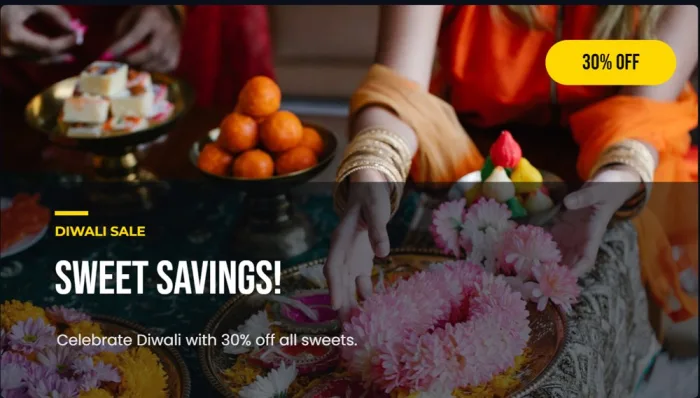
“Diwali sale — 30% off sweets, Hindi + English, festive”
Pick your favourite
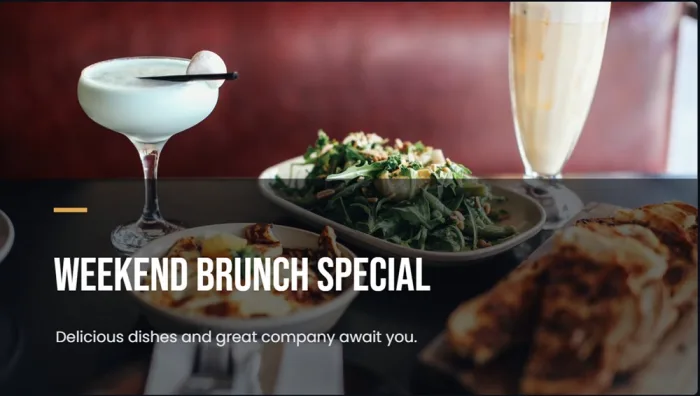
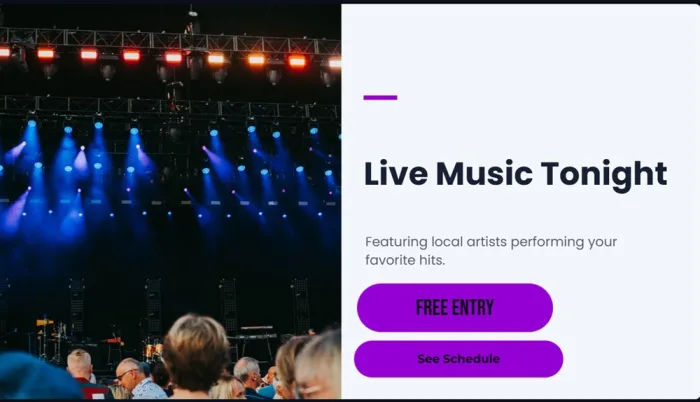
One prompt returns an entire gallery of finished, ready-to-run designs — each with its own photography, palette and type treatment. Skim the wall, keep the one that feels made for you.



 …and a whole gallery more
Refine in a conversation
Don't like the font? Want a QR code? Just ask — the Studio iterates on the same design until it's perfect, then saves it as a reusable template.
AI Assistant
“Make the background darker and add a QR code for the menu in the bottom-right corner.”
One prompt, a gallery of designs
Type what you want — "Diwali sale, 30% off sweets, Hindi + English" — and the Studio composes a whole gallery of photo-led layouts from a single credit. Pick one, refine, publish.
Refine it in a chat
It's conversational: ask for changes — 'make it darker', 'add a QR code', 'use our brand colours' — and the AI iterates on the same design. Your last 30 sessions stay saved.
Photo-led & on-brand
The Studio pulls in relevant photography and matches your fonts and brand colours, so every design looks made for you — never a generic template.
Prompt in any language
Type in English, Hindi or a mix — the AI reads the occasion, the offer and the vibe, and designs to match. Built for India's multilingual screens.
Save as reusable templates
Love a design? Save it to your library as a named template and spin up on-brand variations for the next campaign in one click.
Fair, transparent credits
₹1 = 1 credit, recharged instantly via UPI or card. New accounts start with 20 free credits — and failed generations are refunded automatically.
The old way
- Hire a designer or wrestle a clunky editor
- Hours per board — and a queue when you scale
- Static content that quietly goes stale
- One-off files that are painful to reuse
With DigiSign AI
- Describe it in plain English — in any language
- A finished, on-brand design in seconds
- Photos, fonts and colours matched to your brand
- Refine in a chat, then save & reuse as a template
Multi-language prompts (including Hindi). Every AI design is yours to edit by hand, save as a template and reuse. Fully customizable on request.
Try AI design freeEvery conversation is saved (your last 30 sessions), so you can reload a past session and keep iterating. Generated HTML is sandboxed. Review generated text, links and layouts before publishing.
₹1 = 1 credit. That's the whole model.
No subscriptions for AI, no expiring bundles. Recharge instantly via UPI or card, spend credits only when you generate — and never on failures.
New accounts start with 20 free credits — enough for 20 full layout generations. Top up from ₹10 whenever you need more.
Claim your free creditsFrequently asked questions
The AI Studio generates editable signage layouts from a prompt, such as a restaurant menu, retail promotion or event poster. Choose a layout, review its text and imagery, and refine it before publishing to a screen.
Yes. Continue the conversation to adjust wording, colours, spacing or layout. You can also edit canvas elements manually and save a useful design as a reusable template.
You can prompt and refine designs in Hindi or English. Review spelling, font rendering and line breaks on the target display before publishing, particularly for mixed-language menus and offers.
AI credits are separate from the per-screen subscription. One credit costs ₹1; a design prompt costs one credit and produces a gallery of layout variations. Review the credit cost shown before generating content. Failed generations are refunded automatically.
No. Review the generated design, check prices and factual claims, and refine it before adding it to your signage workflow. Generating a layout does not make its content accurate or ready for customers.
Yes. Save the design as a template, then update the campaign wording, products and dates. Reuse helps keep a consistent layout while retaining a final human review before publication.
Your screens are waiting. Light them up.
Put live content on the screens you already own. Start free today — no credit card, no commitment.
- 7-day free trial
- No credit card
- Cancel anytime