

Corporate digital signage your team actually stops to read
Company news, live dashboards, room status and emergency alerts on the screens people already walk past — in every office, on every floor.
What is corporate digital signage?
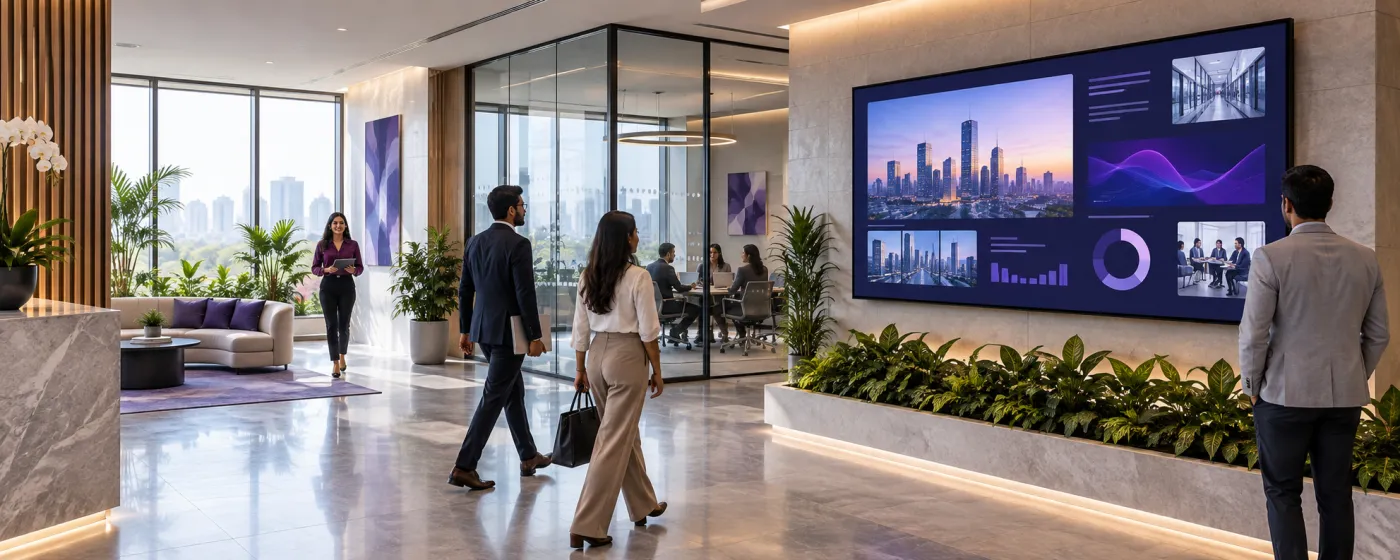
Corporate digital signage is the network of screens inside a workplace — reception, lobbies, lifts, break rooms, meeting rooms, open-plan floors — used for internal communication rather than selling to customers. It carries company news, performance dashboards, recognition, room availability, visitor welcomes and, when it matters most, emergency instructions.
Internal communication has a distribution problem, not a content problem. Email is where announcements go to be archived unread, and the people furthest from a desk — front desk, floor staff, warehouse, shop floor — are the hardest to reach and often the ones who most need to know. A screen in a corridor reaches them without asking anything of them, which is why office digital signage tends to be measured on reach rather than engagement.
DigiSign broadcasts to every screen over a live connection, so connected players can receive a new announcement. It runs on the displays and mini-PCs you already have, and role-based access lets a comms team publish to the lobby without also being able to touch the finance dashboard on the third floor.
Every screen in the building, one dashboard
From the front desk to the far end of the floor plate.
Reception & lobby
Visitor welcomes by name, the day’s meetings, company news and awards — the first thing a candidate or a client sees.
Meeting rooms
Room status and the day’s bookings outside each door, pulled live from Google, Apple or Microsoft 365 calendars.
Break rooms & cafeterias
Where people actually stop. Recognition, the canteen menu, benefits reminders, headlines and weather in a rotation people choose to watch.
Open-plan floors
Team KPIs, sprint boards, support queues and live dashboards mirrored from the tools those teams already run on.
Multi-site & regional offices
One company-wide channel plus a local channel per site, so head office and the branch can both publish without colliding.
Corridors & muster points
Everyday wayfinding and floor information, with an override that turns every screen into evacuation guidance in one tap.
What workplace teams put on the screens
Six jobs that email, intranets and noticeboards all do worse.
Internal comms that get seen
Announcements, policy changes, town-hall reminders and new-joiner welcomes reach the whole building — including the people who never open a company email.
Live data dashboards
Mirror a compatible HTTPS dashboard with the Webpage URL app and it re-renders on a refresh cycle, or drive a clean board straight from a Google Sheet or CSV with the Data Plugin.
Meeting-room and desk status
The Calendar app reads any ICS feed in four layouts, and the Outlook Calendar app connects Microsoft 365 over OAuth — no passwords stored, up to three feeds on a screen.
Emergency override
Quick Post pushes evacuation instructions, a lockdown notice or a weather warning over whatever is playing, on one floor or every site, in a single tap.
Recognition and culture
Milestones, new starters, team wins and photos from the last offsite. The content people stop for is the content that makes the rest of the channel get watched.
Visitor and event welcomes
A named welcome in the lobby, directions to the right floor, and the agenda for whatever is running in the building today.
Reach the people email misses
Screens in shared space reach front desk, floor and shift staff who have no desk, no inbox habit, and the least visibility of what the company is doing.
Dashboards that stay honest
Mirror the live tool rather than pasting a screenshot into a slide. The board refreshes itself, so nobody is looking at last month’s numbers.
Controlled, and audited
Role-based access with custom per-feature roles, Google SSO and publish and licensing audit logs — so you can hand the lobby to comms without handing over everything.
Popular apps for corporate
Drop these onto any screen — no setup required.
- Outlook Calendar (Microsoft 365)
- Calendar — any ICS feed
- Data Plugin — Sheets & CSV
- Webpage URLs — live dashboards
- Quick Post — instant alerts
- World Clock
- News — 10 live feeds
- Weather & AQI (Command)
- Text & announcements
- YouTube & Live Stream
Corporate digital signage questions, answered
Internal communication, mostly: company news and announcements, live performance dashboards, meeting-room availability, visitor welcomes, recognition, health-and-safety information, and emergency instructions. The common thread is reaching people in shared space rather than in an inbox.
Yes, two ways. The Webpage URL app embeds a compatible HTTPS page and auto-refreshes it, which covers most BI tools that offer a shareable link or a TV-mode view. Where you would rather not put a dashboard login on a wall, the Data Plugin renders an exported Google Sheet or CSV as a clean animated table instead.
Yes. The Outlook Calendar app connects Microsoft 365 through secure OAuth sign-in with no passwords stored, and the Calendar app reads any ICS or iCal feed — Google, Apple or Outlook — in four layouts including an agenda view and a spotlight view with a live countdown. A screen can carry up to three feeds at once.
Quick Post publishes over whatever is currently playing, targeted at one screen group or the entire estate, and sends it to connected players. You choose whether it covers a single floor, a building, or every site at once.
Yes. DigiSign has role-based access with custom per-feature roles, so a comms team can publish to the lobby channel without gaining rights to other screens or to billing. Publish and licensing actions are recorded in audit logs, and Google SSO is supported. Audit logs are a Command-plan feature.
The player runs on Android TV boxes and sticks, Windows PCs, and supported browsers, so existing meeting-room displays and lobby TVs can be paired with a code rather than replaced. Screens can also power themselves off outside office hours on a schedule.
Per screen, per month. Ignite is ₹249 per screen (introductory, then ₹349) and includes calendars, the canvas, scheduling, real-time broadcast, monitoring and the AI Studio. Command at ₹699 per screen (then ₹999) adds the premium live-data apps plus audit logs, an SLA and a dedicated success manager. Every plan starts with a 7-day free trial. Read the India digital signage cost guide.
Keep reading
-
Every digital signage feature
Screen groups, scheduling, real-time broadcast, monitoring and role-based access.
-
Security & access control
How roles, SSO, audit logs and per-screen licensing work.
-
The live app catalogue
Calendars, dashboards, news, weather and the rest of the built-in apps.
-
Manufacturing & warehouse screens
The same platform on the production floor — OEE boards and safety counters.
Before a rollout, use the screen setup and player compatibility guide to test your device, embedded pages, network recovery and scheduling. Source sites must allow embedding; live content needs its source connection. Use signage alongside your established emergency communication channels.
Your screens are waiting. Light them up.
Put live content on the screens you already own. Start free today — no credit card, no commitment.
- 7-day free trial
- No credit card
- Cancel anytime