

Factory floor digital signage that shows the line where it stands
Live production dashboards, safety counters, shift handover and downtime alerts on screens the whole floor can read — driven from the systems you already run.
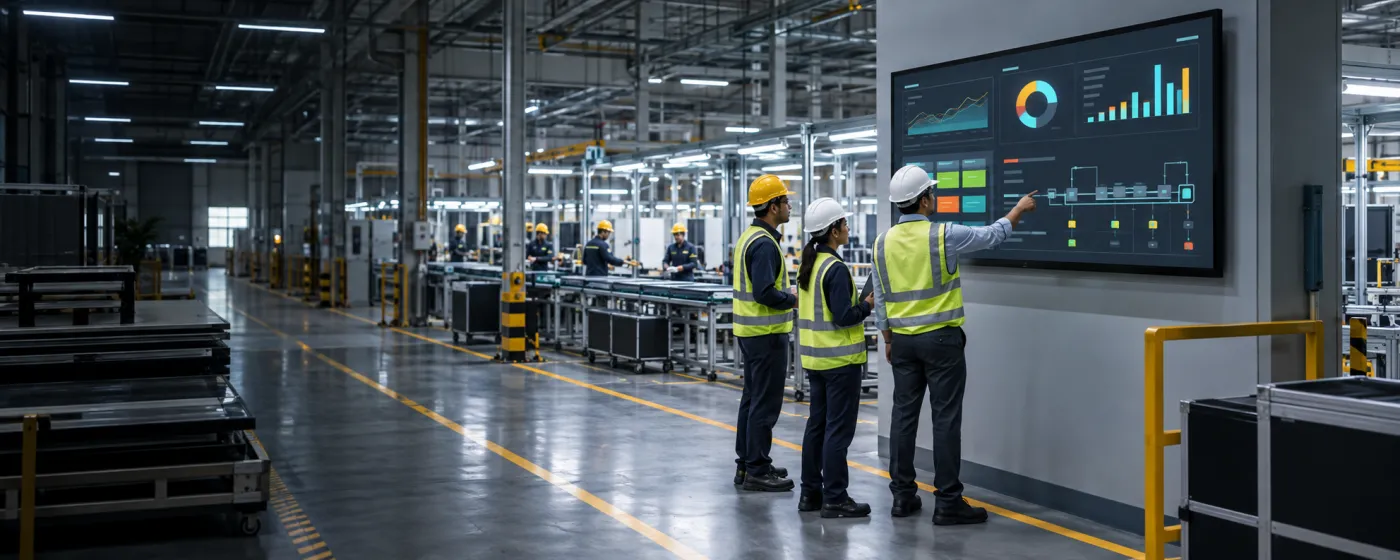
What is manufacturing digital signage?
Manufacturing digital signage is the set of large-format screens on a production floor, in a warehouse and around the supporting areas that show operational state in real time: output against target, downtime, quality and scrap, safety records, shift rosters and handover notes. It is the modern replacement for a whiteboard that someone updates twice a shift, if they remember.
A factory already generates the numbers. The problem is that they live in an MES, an ERP, a BI tool or a spreadsheet that an operator on the line has no reason and no time to open. Putting the number on a screen above the line is what turns it into behaviour — a shift that can see it is behind can respond during the shift rather than reading about it the next morning.
DigiSign gets those numbers onto the wall two ways: the Webpage URL app embeds and auto-refreshes a compatible HTTPS dashboard you already publish, and the Data Plugin renders a Google Sheet or CSV as a clean animated board where there is no dashboard to point at. Both are included on the Ignite plan, and the player runs on the industrial mini-PCs and Android boxes plants tend to already have.
From the line to the gatehouse
Different audiences, different boards, one account.
Production lines & cells
Output against target, cycle time, current order and downtime reason on a screen sized to be read from the far end of the line.
Warehouses & dispatch
Pick rates, dock and bay allocations, outbound schedules and carrier arrivals, so the floor and the office are working from the same picture.
Quality & inspection
First-pass yield, scrap and rework rates, current non-conformances and the specifications for whatever is running now.
Safety & induction points
Days since the last incident, PPE requirements, permit-to-work status and the safety briefing contractors see before they go through the door.
Break rooms & canteens
Plant news, recognition, benefits, training schedules and the human content that reaches a workforce with no company email address.
Gatehouse & visitor entry
Site rules, visitor instructions, assembly-point maps and driver directions at the point where people arrive on site.
What plant teams put on the screens
Six boards that change what happens during the shift, not after it.
Live production dashboards
Mirror your MES, ERP or BI dashboard with the Webpage URL app and it re-renders on a refresh cycle, so the line sees the same number the plant manager sees.
Safety and days-since-incident
A permanent, visible safety board does more for behaviour than a laminated poster. Update the counter and the message centrally across every plant.
Andon and downtime alerts
Quick Post pushes a line-stop, a quality hold or an evacuation over whatever is playing, targeted at one cell, one building or every site, in a single tap.
Shift handover and rosters
Handover notes, crew allocations, overtime and training schedules on a board at the shift-change point, driven from the spreadsheet planning already uses.
Quality and scrap boards
First-pass yield, defect Pareto and current non-conformances rendered from a sheet or a live dashboard, refreshed without anyone re-typing them.
SOPs, training and toolbox talks
Work instructions as PDFs, short procedure videos and toolbox-talk content shown at the workstation rather than filed in a binder nobody opens.
The number where the work happens
Output, downtime and quality on the floor, not in a report. A shift that can see it is behind still has time to do something about it.
No new integration project
If your dashboard has a URL, it can be on the wall today. If it does not, a Google Sheet is enough to get a real board running this week.
Reaches the deskless majority
Most of a plant has no company inbox. Screens in shared space are the only channel that reliably reaches the whole workforce.
Popular apps for manufacturing
Drop these onto any screen — no setup required.
- Webpage URLs — MES, ERP & BI
- Data Plugin — Sheets & CSV boards
- Quick Post — andon & stop alerts
- PDF — SOPs & work instructions
- Calendar — shift & training
- Text & announcements
- World Clock — multi-site
- Air Quality Index (Command)
- YouTube — training video
- Ticker & marquee text
Manufacturing digital signage questions, answered
Live production and OEE dashboards, safety and days-since-incident boards, shift handover and rosters, quality and scrap metrics, andon and downtime alerts, SOPs and training content, and plant-wide communication in break rooms. The unifying job is putting operational state in front of people who are not sitting at a computer.
Yes, if the HTTPS dashboard permits embedding and works with the player browser. The Webpage URL app embeds the page and auto-refreshes it, which covers most tools that offer a shareable link or a TV-mode view. Where you would rather not put a login on a floor screen, export to a Google Sheet or CSV and let the Data Plugin render it as a clean animated board instead.
No. Both routes above work with what you already publish — a URL or a spreadsheet — so a real board can be running in a day rather than after a project. Custom integrations and API access are available on the Infinite plan if you later want a deeper connection.
Quick Post publishes over whatever is currently playing, targeted at a single cell, a building or every site, and reaches the screens over a live connection. Clear it and the normal dashboard returns.
Downloaded media can continue from the player cache, subject to player support and licence terms. Live production dashboards may stop updating. Test disconnect, restart and recovery with your actual content, and use player status and screenshots alongside on-site checks.
The player runs on Android TV boxes and sticks, Windows PCs or supported browsers, so the industrial mini-PCs and displays plants usually already have will work. Choose the display itself for the environment — brightness, ingress protection and mounting are hardware decisions, not software ones.
Per screen, per month. Ignite at ₹249 per screen (introductory, then ₹349) already covers the two apps most plants need — Webpage URLs and the Data Plugin — plus scheduling, real-time broadcast, monitoring and the AI Studio. Command at ₹699 per screen (then ₹999) adds the premium live-data apps, audit logs, an SLA and a dedicated success manager. Every plan starts with a 7-day free trial. Read the India digital signage cost guide.
Keep reading
-
Corporate & internal comms signage
Office-side dashboards, announcements and meeting-room screens.
-
Every digital signage feature
Screen groups, scheduling, real-time broadcast and live player monitoring.
-
The live app catalogue
Data Plugin, Webpage URLs, PDF, calendars and the rest of the built-in apps.
-
Per-screen pricing
What Ignite, Command and Infinite cost, and which apps land in which plan.
Before a rollout, use the screen setup and player compatibility guide to test your device, embedded pages, network recovery and scheduling. Source sites must allow embedding; live content needs its source connection. Use signage alongside your established emergency communication channels.
Your screens are waiting. Light them up.
Put live content on the screens you already own. Start free today — no credit card, no commitment.
- 7-day free trial
- No credit card
- Cancel anytime